
Most renters meet an apartment community on a listing site long before they meet a leasing agent. That makes multifamily photography one of the few marketing pieces that works every day of a lease-up and long after it. This is the checklist I use to plan a shoot with a property manager or leasing team, from the primary photo down to the unit shots renters say they care about most.
What Renters Say They Want
Apartments.com surveyed more than 15,000 U.S. adults planning to rent, and the National Apartment Association summarized the results. A few numbers are worth keeping in front of any leasing team:
- 85 percent of renters use or plan to use a rental listing site, the highest rate in Apartments.com’s surveys so far.
- 77 percent want to see unit-specific photos, 67 percent want unit-specific floor plans and 35 percent want unit-specific 3D tours.
- For half of respondents, a listing without photos of the specific unit is a deal-breaker.
One respondent from Roseville put it plainly: “If I’m unable to view pictures of the exact space I would be applying for, I probably wouldn’t want to apply in the first place.” That is a renter right here in the Sacramento area.
The takeaway is simple. Amenity photos and a polished model unit are a strong start, but they are not the whole job.
Start With the Primary Photo
The first image on a listing does most of the work in search results. Apartments.com looked at which primary photos earn the most clicks and shared what it found:
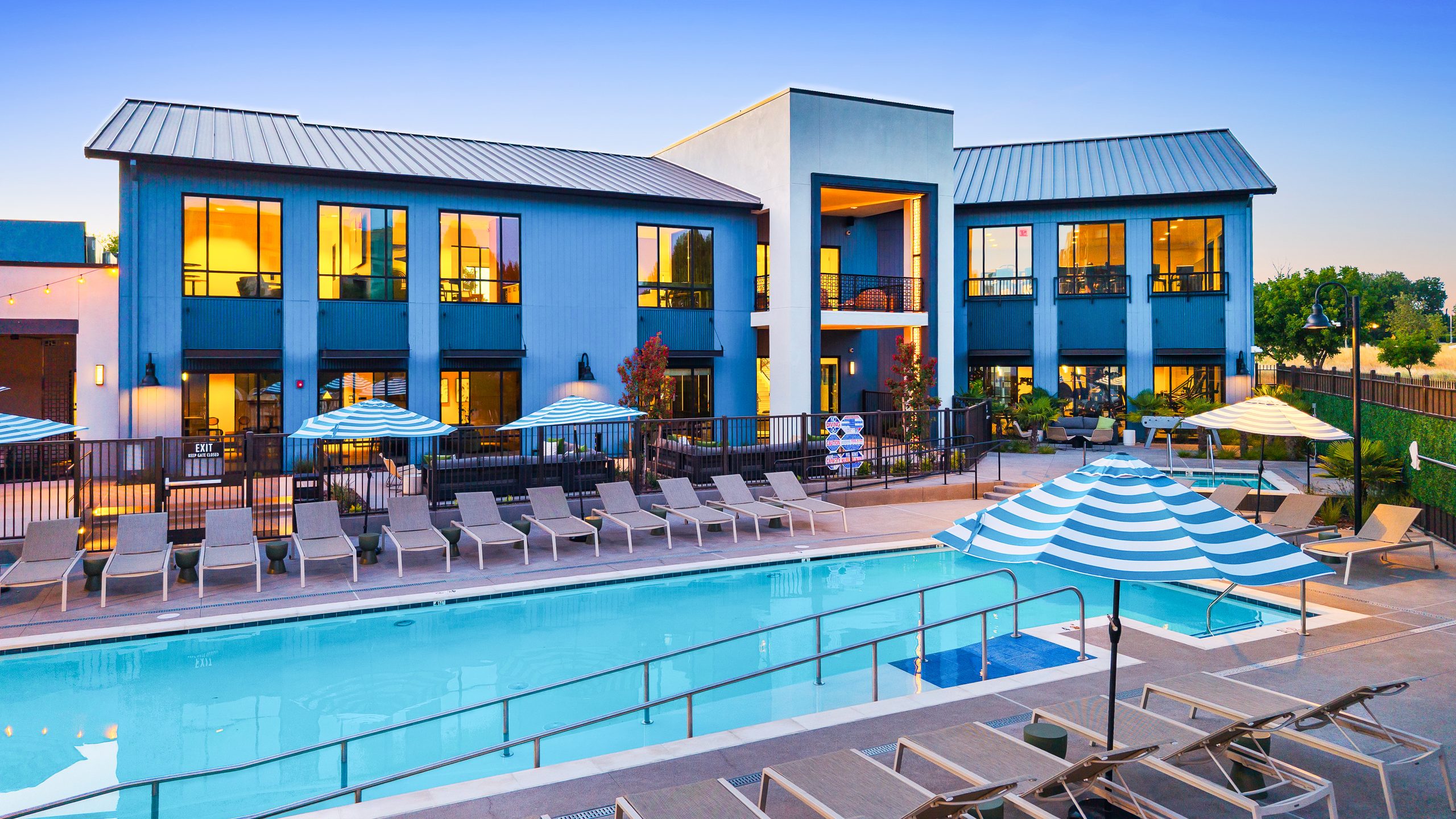
- For new, high-end communities with strong exteriors, outside shots tend to drive the most traffic, including pools and common areas.
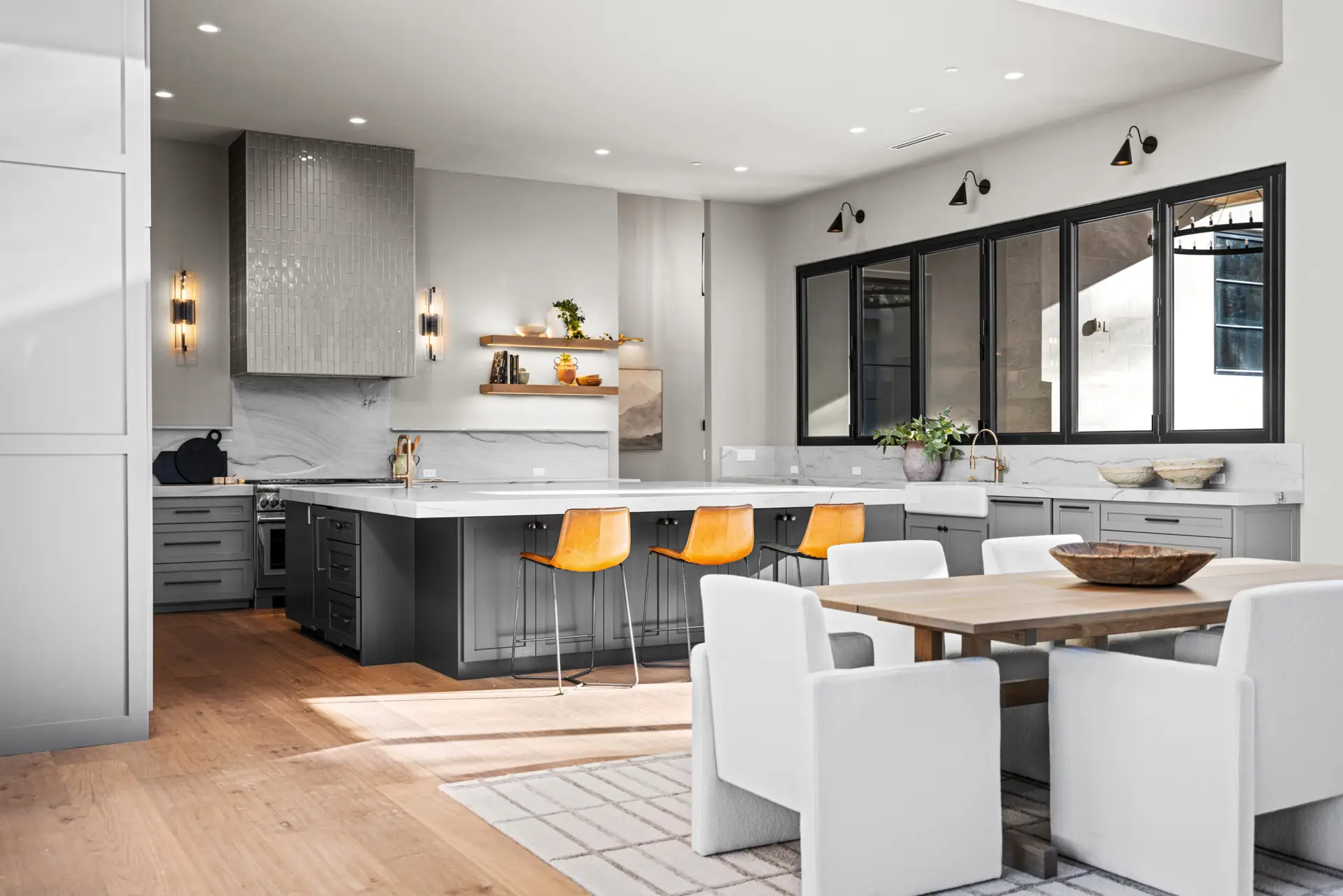
- For older or more modest buildings, interiors perform best, led by kitchens, living rooms and bedrooms.
- Bathrooms, fitness centers and floor plans were the weakest primary photos across building types.
That does not mean skipping the gym. The same article notes that nearly one in five renters consider a fitness center an essential amenity. Those images just belong later in the carousel.
So before I photograph anything, I ask which image should lead. If the community has a standout pool or clubhouse, I plan the schedule around getting that shot in the best light. If the strength is the units, I make sure the kitchen and living room are ready first.
The Multifamily Photography Checklist
Every property is different, but this is the shot list I start from and then trim or expand with the leasing team.
Exteriors and Arrival
- Building facades from the angles that show the architecture best, timed for the light on each side
- Entry, signage and the leasing office
- Walkways, courtyards and landscaping
- Parking or garage access, if it is a selling point
Amenities
- Pool and spa, clubhouse, lounge, co-working space and game room
- Fitness center, dog park, package room and any rooftop or outdoor kitchen
- One wide image of each space, plus a detail or two that shows the finishes
Units
- Kitchen, living room and primary bedroom first, since those make the strongest listing images
- Every floor plan type, not just the model
- Bathrooms, closets, laundry, balconies and the view from the windows
- A 3D tour of each floor plan type if the budget allows
Context
- Drone images that show how the buildings, pool, parking and green space fit together
- Nearby parks, downtown views or transit, if they are part of the pitch
- One or two twilight images for the website hero and social posts
Plan for Units, Not Just the Model
Model units sell the finishes. Renters, though, are deciding on a specific apartment, and the survey numbers above show they notice when those photos are missing.
The practical fix is to photograph each floor plan type once in a clean, vacant unit and label the images clearly by plan. Vacant units right after make-ready are the easiest to schedule. When finishes change in a renovation, those plan photos get refreshed.
It also helps to know how many images you can actually post. Apartments.com packages range from a maximum of 20 photos on Silver to 40 on Diamond Plus, with no limit on its Diamond Plus with Matterport Max package, and the average listing there carries 33 photos. I build the gallery so the strongest 20 work on their own and the rest fill out larger packages and your website.
3D tours are worth a look too. Apartments.com reports that 69 percent of its listings have at least one 3D tour, and that listings with 3D tours generate 23 times more leads than those without. That is the platform’s own figure, not mine, but it lines up with renters asking to see the layout before they visit. I capture tours with a Matterport Pro2.
Aerials and Twilight
Ground photos show the spaces. Aerials explain the site. A single drone image can show a renter where the pool sits relative to the buildings, how much green space there is and how close downtown is. I fly with a current FAA Part 107 certificate, and my DJI Mavic 4 Pro and Air 3S cover most multifamily aerials.
Twilight is the other image I push for when a community has good lighting. Lit windows, a glowing pool and a blue sky do a lot in a single frame. At The Hayley, a luxury apartment community in downtown Sacramento, I photographed the pool and clubhouse at dusk and flew aerials of the clubhouse and park with the skyline behind it. The case study opens with those dusk images, then moves into the shared spaces and model interiors.
Prep Before the Shoot
Most of what makes a multifamily shoot go smoothly happens before I arrive.
- Walk the property with the leasing team and agree on the shot list and which units are available.
- Schedule landscaping and pool cleaning a day or two before.
- Turn on every light, open blinds and set out pool furniture and umbrellas.
- Move trash bins, maintenance carts, stray signage and, where possible, cars out of key views.
- Let residents know if an amenity will be closed for a short time.
- Decide where the images will be used: listing sites, the community website, social posts or print.
I also keep identifiable residents out of the frame unless someone has agreed to be in the photos.
Keep the Edits Honest
For leasing photos I keep editing to exposure, color, straight lines and cleanup of small temporary distractions. I do not change the building, the finishes or the view. If a unit is virtually staged, it should be labeled that way. I wrote more about disclosure rules for altered photos in California in my AB 723 post. Photos that match the unit a renter tours build trust instead of costing it.
Planning Your Next Shoot
If you manage leasing for a community and want help building a shot list for a lease-up, a renovation or a listing refresh, you can see more of my commercial and multifamily work or check the services page. When you are ready, get in touch and tell me about the property.